
Long-form video guide
Use chapters and transcripts to find stronger YouTube stills
Youtube frame extractor
Long-form YouTube videos create a search problem before they create an image problem. A tutorial, interview, lecture, or review may run for twenty minutes or two hours, so generating candidates across the entire file can waste memory and attention. Chapters, transcript notes, edit markers, and a clear purpose for the final image are more valuable than a very small extraction interval.
This tool operates on a video file already available on your device and does not download a YouTube URL. Respect the rights and permissions attached to the source. When you control the production, use the approved master or highest-quality export. A low-resolution stream copy may already contain scaling and compression that become much more visible in a static thumbnail.
Horizontal framing and thumbnail intent
YouTube players commonly present 16:9 video, but uploads can use other aspect ratios. A frame used in a 16:9 thumbnail should have a clear focal point, readable contrast at small size, and enough negative space for any title treatment. Avoid choosing a misleading reaction or a result that the video does not actually support; a thumbnail is editorial context, not permission to change the meaning of the source.
Tutorial frames have different requirements. Cursor position, menu state, code text, and labels may matter more than facial expression. PNG at original resolution is often appropriate for documentation, while a photographic thumbnail can usually be JPG. If the source includes letterboxing, decide whether it is part of the intended composition before cropping in a separate image editor.
A chapter-led extraction method
Define the image roles first
List the needed outputs: one thumbnail candidate, three tutorial steps, a speaker portrait, or a comparison result. Each role needs a different visual test, so separating them prevents an attractive but uninformative frame from winning every time.
Use notes to narrow the timeline
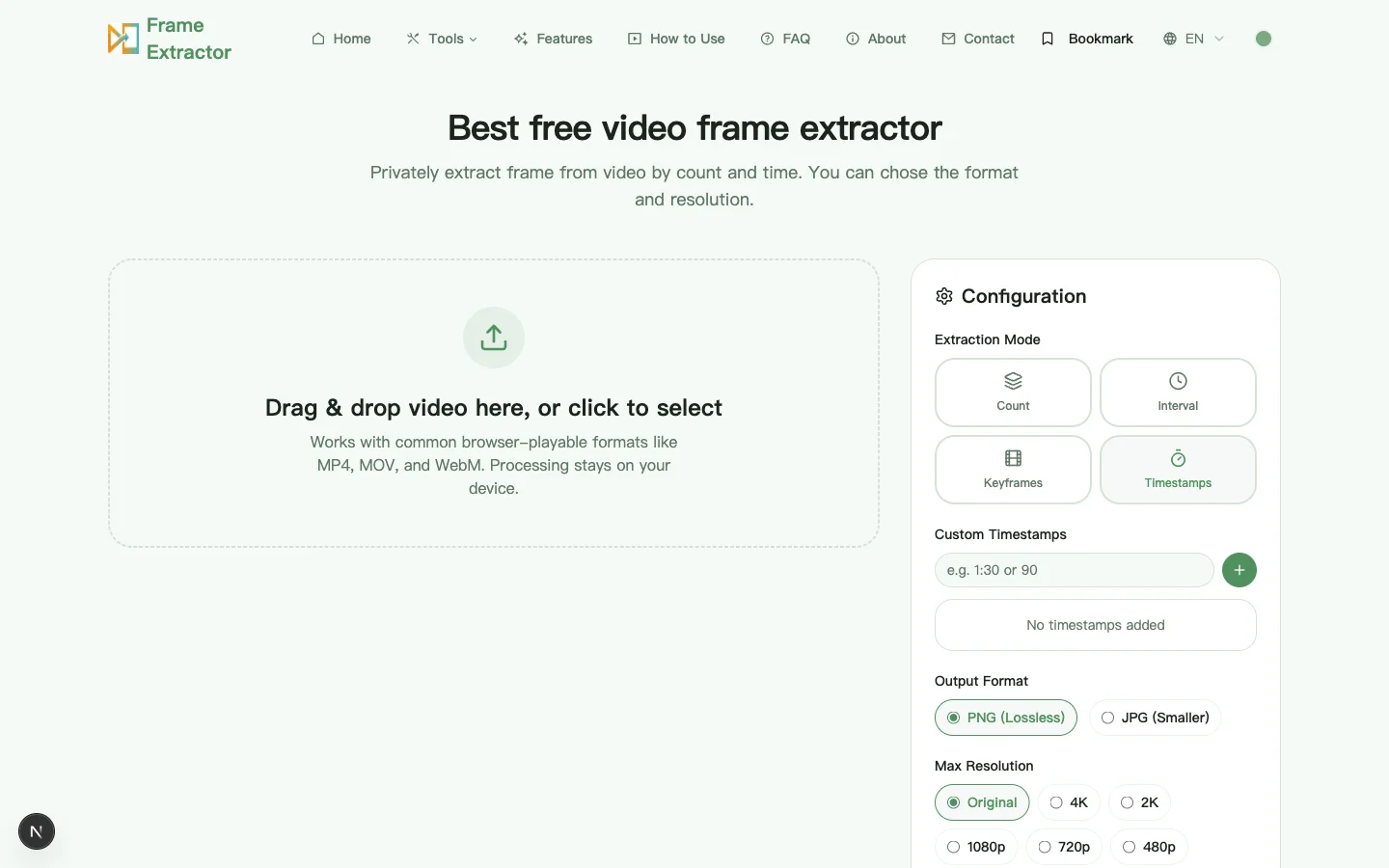
Read chapter markers, a transcript, or your edit notes and record the elapsed time of relevant sections. Run timestamp extraction around those moments instead of sampling an hour-long file at a tiny interval.
Compare expressions and UI states
For a presenter, inspect frames on both sides of a spoken emphasis to avoid blinks and mouth shapes that look unnatural when frozen. For software, wait until menus and loading states are fully rendered.
Test the final viewing size
A detailed frame can fail as a thumbnail when reduced. Preview it small, check subject separation, and reserve space for text. Keep a full-resolution original so a designer can make the final crop without another extraction pass.
Worked example: a 22-minute classroom tutorial
A teacher wants one course thumbnail and four stills for written notes. The lesson has chapter points at setup, demonstration, result, and recap. Extracting every five seconds would create more than 250 candidates. Instead, the chapter times define four narrow searches. The setup and result use exact timestamps from the transcript, while a small count across the demonstration finds a hand position that clearly shows the procedure.
The written steps are exported as PNG because labels and equipment markings need to stay clear. The thumbnail is selected separately from a presenter moment with a stable expression and visible demonstration object, then delivered at original size for cropping. The notes retain timestamps so students can return to the corresponding explanation in the video.
Quality control for thumbnails and instructional stills
Judge a thumbnail candidate at full resolution and at the small size where viewers will first encounter it. The large view reveals focus and compression; the small view reveals whether the subject, contrast, and visual promise are clear. Test the actual 16:9 crop instead of assuming the whole source frame will survive. Keep an unmodified original-size export so later layout work does not require another lossy extraction.
Compare the still with the surrounding video and title before publication. A dramatic expression or result can attract attention while misrepresenting what the speaker said or what the demonstration achieved. Record the source version, chapter, elapsed timestamp, and permission basis, especially when the file belongs to a guest, client, school, or licensed production. The frozen image remains subject to the rights attached to the source.
For tutorial images, review the sequence as a reader rather than as the video editor. Each frame should show one complete state, keep relevant labels readable, and include enough surrounding context to locate the control or physical object. Remove accidental account details and notifications, use PNG when fine interface text matters, add captions that explain the action, and write alternative text that conveys the instructional purpose rather than merely repeating the filename.
Chapter markers and subtitle timings: which one to trust
Both are approximations of the same thing — where a section begins — and they fail in opposite directions. Chapter markers are editorial: a human decided the section starts here, which makes them semantically reliable and temporally coarse. They also tend to land on a cut or a keyframe, so the frame at a chapter boundary is usually a clean shot rather than a transitional blur. Subtitle timings are mechanical: each line has a start and an end, which makes them precise and semantically fragile, because a line of speech often begins a second or two before the visual it describes.
For a tutorial, the practical sequence is to use chapters to find the section and subtitles to find the sentence inside it, then extract a few frames on either side of the subtitle start. The visual change the viewer cares about — a menu opening, a value being typed — usually happens just after the words that introduce it, not at the same instant.
Automatically generated captions are a third case and should be treated as the least reliable of the three. Their timings drift, they mis-split sentences, and the text itself may be wrong in exactly the places a technical video needs to be right. If a timestamp came from auto-captions, verify it against the picture before you put it in a document.
Why a 4K upload still gives you a soft still
The number on the source file describes the upload, not the stream you receive. Between the two sit at least one re-encode, a bitrate ceiling chosen for delivery rather than for stills, and often an adaptive rendition that is smaller than the upload. A video published as “4K” may be served to your session at 1080p because of the connection, the window size, or the player’s own heuristics — and the file you saved will faithfully contain that smaller rendition.
Even at full resolution, the encoder allocates bits by motion. A fast pan gets a large share and a static shot gets a small one; a still pulled from the fast pan is full of blocking, while the same resolution in a calm moment is clean. This is why “extract from a quiet moment” is better advice than “extract at higher resolution”: the resolution is fixed by the source, but the compression quality is not.
The third factor is that one frame of a stream encoded for motion is not a photograph. It may be a P-frame whose detail depends on neighbours the decoder has already discarded, and its sharpness varies frame to frame in a way that is invisible during playback and obvious at 100 percent. When two adjacent candidates look equally good in motion, compare them at full size and keep the sharper one.
Thumbnail safe areas at 1280 × 720 and 1920 × 1080
Both canvases are 16:9, so the composition problem is the same at either size: the subject has to survive a reduction to roughly 168 × 94 in a search result. At that size a face is a smudge and a product is a silhouette, so the test is not “is it sharp” but “is there one obvious thing”.
Practical margins: keep the subject inside the central 80 percent of the width, and leave the lower third relatively free if any text treatment will be added. A subject placed hard against the left edge is the most common mistake, because a title block on the right then has nothing to sit against and the crop looks accidental. Do not place anything important within about 40 pixels of any edge at 1280 × 720 — platform previews crop by a few percent and the loss is silent.
Export at 1920 × 1080 even if the destination displays smaller. The larger file survives re-cropping, and the site will downscale it anyway. Keep an unannotated original: text baked into the pixels cannot be revised when the title changes, and titles change.
What this page cannot do
It does not download a YouTube URL, read a watch page, or access an account. It works on a file you already have on disk. It does not remove watermarks or overlays that are part of the picture — those are pixels, not metadata. It does not interpolate between frames to produce a moment that was never recorded, and it does not report exact frame numbers, because a browser video element deals in time rather than frame indices.
If the job needs any of those, the right tool is a command-line engine with its own decoder and an explicit output log. This page is for the far more common job: a saved video, a moment you can name, and a still you need to hand to someone.
Questions about YouTube-source workflows
Does this page download a YouTube video?
No. It accepts a local video file and extracts stills in the browser. It does not fetch a URL, access a YouTube account, or remove platform restrictions. You are responsible for obtaining and using the source in a lawful, authorized way.
What makes a good tutorial frame?
The frame should show one complete state: the relevant control, object, or result must be visible, motion should be settled, and labels should remain readable. Include enough surrounding interface or physical context that a reader can locate the step without watching the entire clip.
Why not extract hundreds of thumbnail options?
Large galleries hide the decision criteria and increase memory use. Define the promise of the thumbnail, identify the relevant chapter, and compare a focused set for expression, clarity, honest context, and space for layout. A small intentional set is easier to review with collaborators.